Tienes toda la razón no son la misma, pero ya la dejo por si le interesa alguno. Gracias.No son la misma @Beta , aunque se parecen mucho.
https://play.google.com/store/apps/details?id=com.asksven.betterbatterystats&hl=es

Sigue el video a continuación para ver cómo instalar nuestro sitio como una aplicación web en la pantalla de inicio.
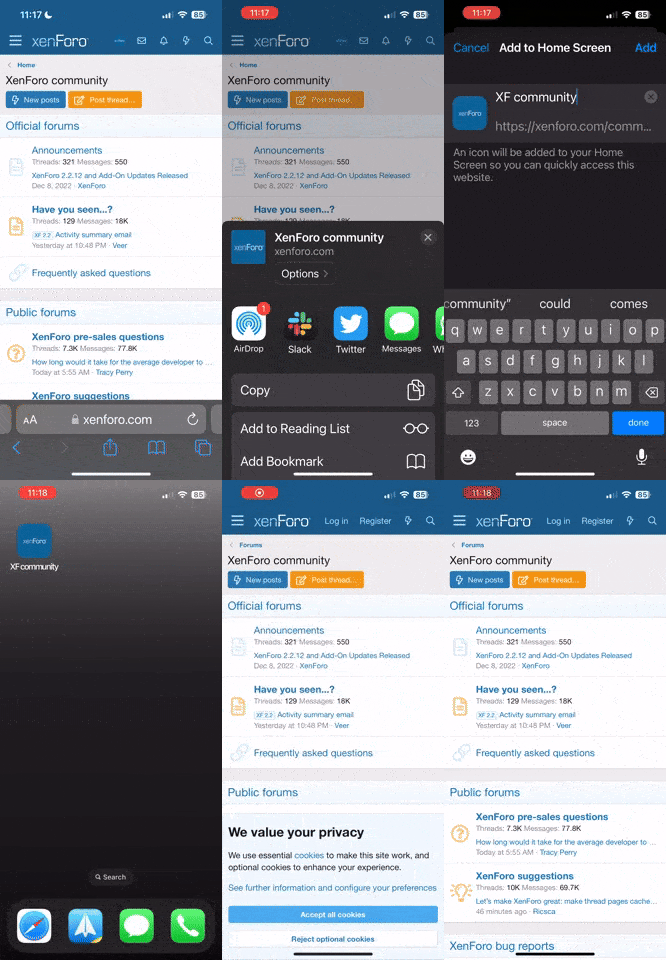
Nota: Esta función actualmente requiere acceder al sitio usando el navegador Safari integrado.
Tienes toda la razón no son la misma, pero ya la dejo por si le interesa alguno. Gracias.No son la misma @Beta , aunque se parecen mucho.
https://play.google.com/store/apps/details?id=com.asksven.betterbatterystats&hl=es

Para complementar yo utilizo mucho Onefootball - Sólo fútbol es muy configurable y permite tener un perfil con tu liga y equipos favoritos, hacer seguimientos y feed de noticiasActualizado hasta aquí. Para los futboleros:
Resultados de Fútbol

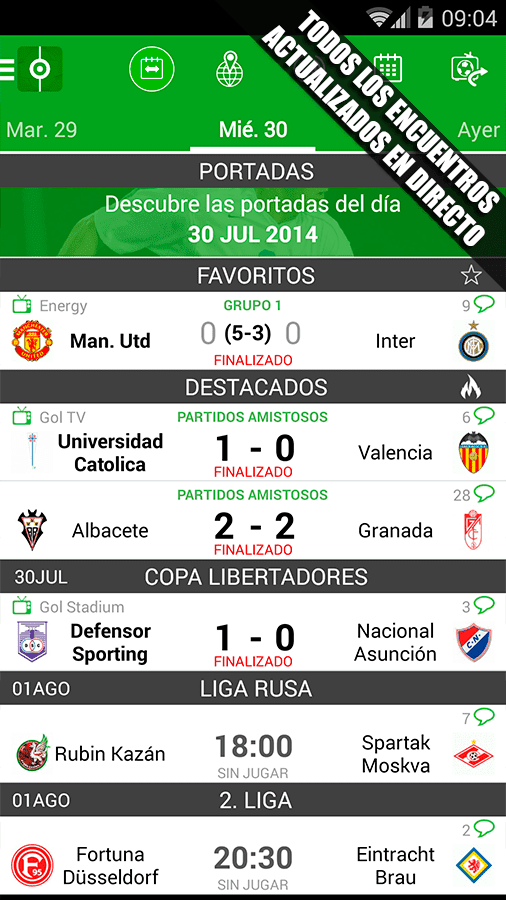
Aplicación que nos permite estar al día de los resultados de fútbol de diferentes ligas.
https://play.google.com/store/apps/details?id=com.resultadosfutbol.mobile&hl=es


Tienes razon por lo que cito a @aldogar74 que me diga si está bien ponerla y que si ve conveniente modifique el apartado, es de todas formas una app legal que no es perjudicial para los usuarios (aunque no saber usarla puede implicar que descargues algo que si perjudique)@Paco_m igual deberías mirar el primer post, la regla 2 justamente

Pon el enlace @BreakkNotification Memo
Descripción
Yet another note-taking App... with a twist.
Evernote and other popular Apps are fine for when you want to document something, and keep a note about it. But what about the times when you just need to scribble down some random bit of info? A phone number, an email address, a reminder to yourself - then a full-blown notebook App is overkill.
Notification Memo lets you create this kind of throw-away notes easily:
- Tap on the App icon to create a new memo. It will instantly be added to the notification area for easy reference.
- Select the color of your memo (yellow, red, green) with just a few taps.
- Swipe the memo from the notification area when you do not need it anymore and it's gone, just like any other notification.
- If your memo is extra important then you can pin it. Pinned notes can't be swiped away, but must first be opened and then deleted.
The App works great from a shortcut on the home screen, or added directly to the notification are using Notification Shortcuts.